Based on familiar Spyder hardware, the Pantone ColorVision ColorPlus package is the cheapest electronic monitor calibrator available
Price: UK£89.95, US$104.99, EU€119

| As far as I'm aware, the Pantone ColorVision ColorPlus monitor calibrator is the cheapest electronic monitor calibrator you can buy. Based on the tried and tested Mark 1 Spyder colorimeter, this entry-level solution is bundled with ColorPlus software as well as a copy of Adobe Photoshop Album 2.0 Starter Edition. The ColorPlus package is for Windows users only.
| |
|
 |
 |
 |

|
Why calibrate your monitor?
Display monitors are not guaranteed to display colour, contrast and brightness correctly out of the box. What’s more, as your monitor ages, so does its image quality. Display quality from a conventional CRT monitor changes over time more rapidly than an LCD monitor as the electron guns and screen phosphors wear out, but even LCD monitors, which are illuminated by fluorescent lamps, exhibit colour balance shifts over time.
Obvious evidence that your monitor is not calibrated properly can be noticed when the colour of documents and photos you're printing no longer matches what you see on the screen. It's possible that the printer might not be calibrated properly, but as long as you are using the correct paper for the printer driver setting as well as the correct inks, there is less likelihood of the printer being at fault. Using a monitor calibrator regularly – every couple of weeks – can maintain a consistently accurate display quality.
You can actually calibrate your monitor using a free utility supplied with all Windows PCs these days. It's called Adobe Gamma (below) and you can find it in the Windows Control Panel.
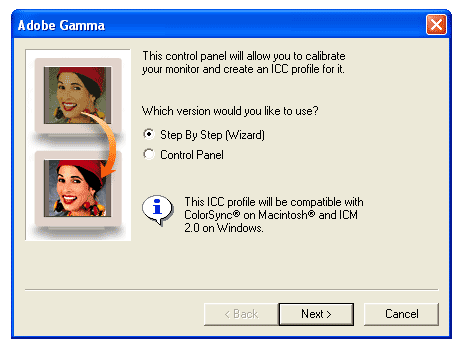
The problem with Adobe Gamma is that it relies completely on the user to make adjustments in response to visual prompts. It's better than nothing and if you aren't going to invest in an electronic calibrator you should definitely use Adobe Gamma, but even an entry-level hardware package like ColorPlus will provide better consistency and accuracy – as well as convenience.
It's all in the software
The three-legged Spyder calibrator has been around for about four years in various slightly modified forms. The ColorVision
Spyder 2 was recently launched but the Mark 1 Spyder will continue as a lower-cost option in packages like ColorPlus for the foreseeable future, according to UK distributor, Colour Confidence. What differentiates the different packages based on the same Spyder hardware is the software.
With ColorPlus, you get… ColorPlus software. At the time of writing, the Mark 1 Spyder hardware is also available with more sophisticated PhotoCAL software in the form of the standard ColorVision Spyder and as SpyderPro with even more powerful OptiCAL software.
When choosing your Spyder package you need to be careful as the software supplied is uniquely tied to the Spyder in the box. There is no option to upgrade to more powerful software versions without buying another Spyder.

We'll examine the ColorPlus software on
page 2 of this review.
As for the hardware, the Spyder device attaches to a glass CRT monitor using three suction cups and to a PC using a USB lead.

With over 2.2m to play with (around 7 feet) there should be ample USB cable to reach from a desktop monitor to the back of a floor-standing PC if required.
Unlike earlier versions of the Spyder, the ColorPlus Spyder and all current versions are compatible with LCD monitors. You must not use the suction cups as these could damage the flexible surface of an LCD monitor when you come to remove it.

Instead, there is a second cable that can be attached to the Spyder with an adjustable bezel locator (above) and, at the end, a weight (below).
 The weight is designed to permit the Spyder to hang in front of the screen, preferably tilted back slightly, without being attached to it.
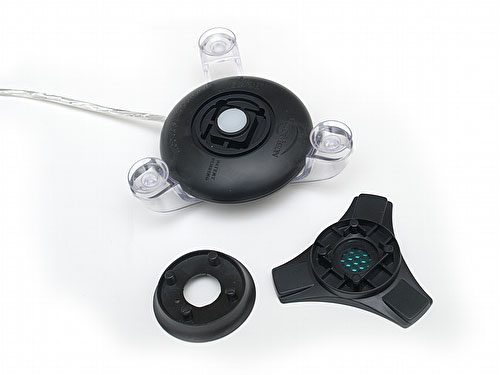 For use with LCD screens, a rubber baffle (above left) needs to be swapped for a triangular plastic attachment (above right) with a small filter inside.
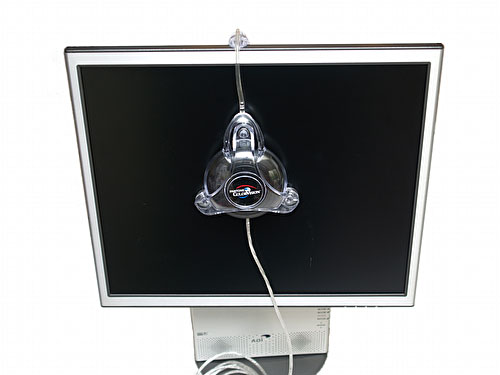 Above is a Spyder mounted on a 17" LCD screen
 The cabled weight can be removed if it is not required.
Overall, the Mark 1 Spyder hardware is simple enough and the counterweight for LCD screens works well.
On
page 2 we take a look at the ColorPlus software.
Check the latest price or purchase this item via
|
|
|
|  |
| Click on the flag that best relates to your location |
| The EU flag links to Amazon Germany, currently the only European Amazon outlet that supplies electronic goods like cameras priced in Euros. |
| Each Amazon outlet can ship to most countries in the world. |

ColorPlus Software
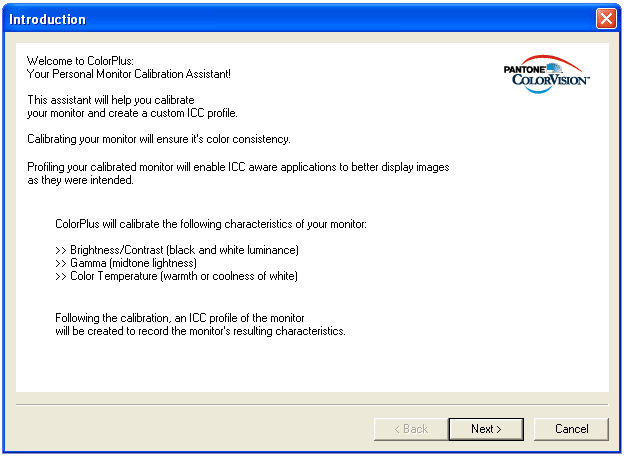
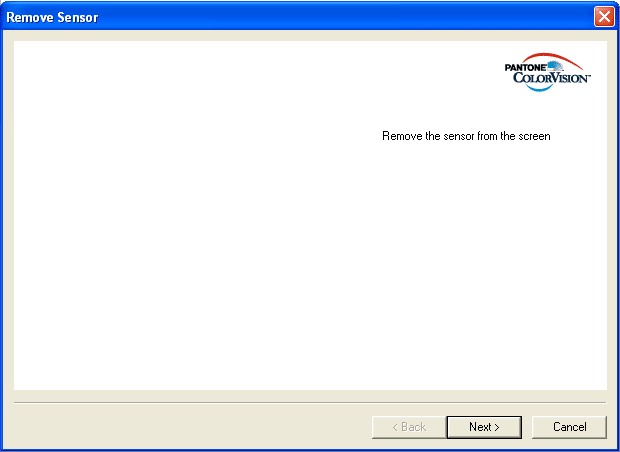
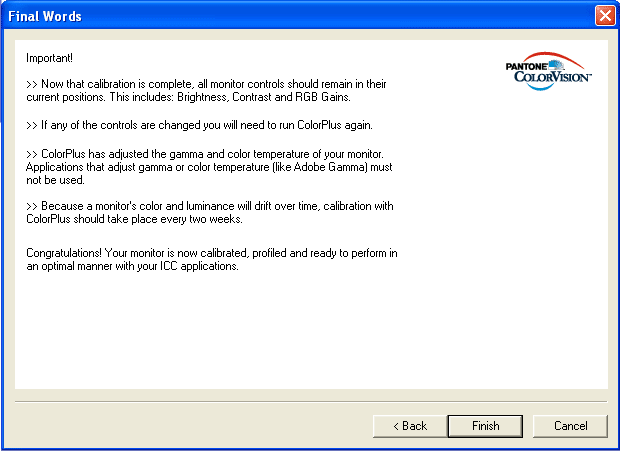
ColorPlus is a simple application that takes the user through an uncomplicated step-by step procedure. In its simplicity lies its potential weakness as there are no extra functionality options for setting custom white or black points or for making adjustments to the profiling process that are available in either PhotoCAL or OptiCAL.
Do bear in mind that the ambient lighting where the monitor is situated is a huge factor when viewing a monitor and it's not a great idea to position your screen near a window or another bright light source.
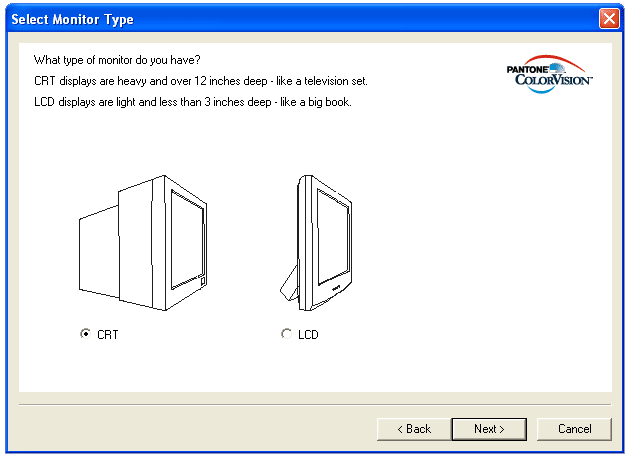
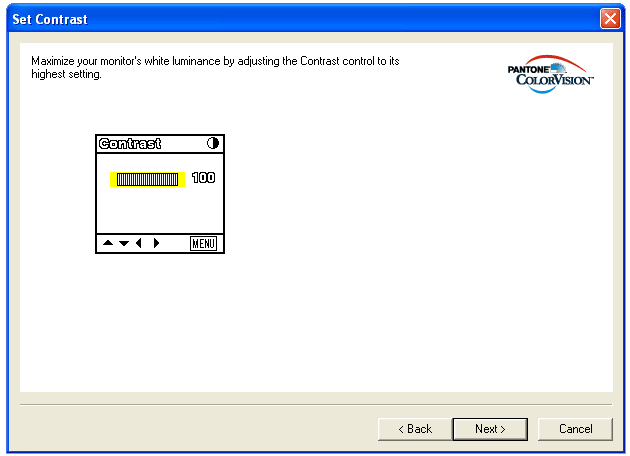
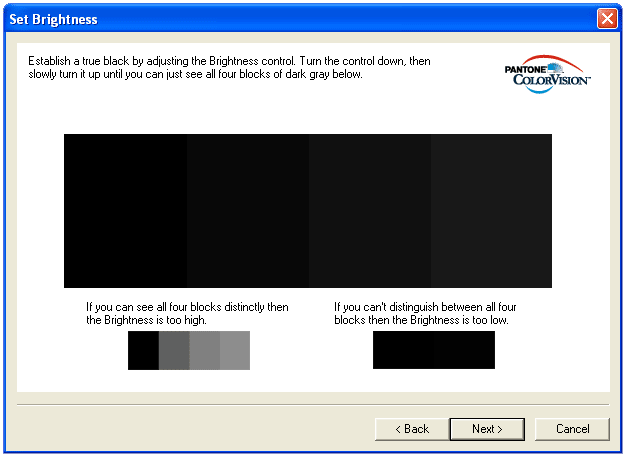
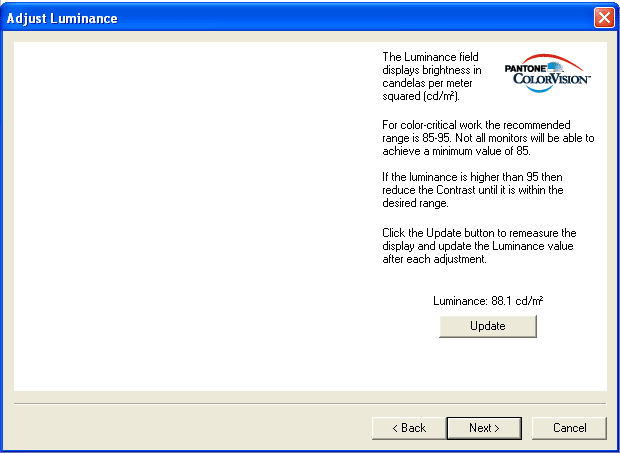
All ColorPlus is designed to do is provide a very simple and straightforward vanilla calibration of your monitor. Here are the steps you see on the screen. As you can see, they are completely self-explanatory.


On
page 3 you will find our conclusions and rating for the Pantone ColorVision ColorPlus.
Check the latest price or purchase this item via

|

| 
|  |
| Click on the flag that best relates to your location |
| The EU flag links to Amazon Germany, currently the only European Amazon outlet that supplies electronic goods like cameras priced in Euros. |
| Each Amazon outlet can ship to most countries in the world. |

Conclusions and ratings
Here are our ratings and conclusions for the Pantone ColorVision ColorPlus monitor calibrator:
Features
 Ease of use
 Performance
Accuracy
Performance
Accuracy
 Value for money
 The bottom line:
The results we obtained with the Pantone ColorVision ColorPlus monitor calibrator were about what we expected and very similar to more expensive Lacie Blue Eye and Gretag Macbeth Eye One Display calibrators we have used in the past. Comparing a printed Colour Confidence Repro Pack reference sheet with its RGB source image on-screen (above) didn't prove to be an exact match, though none of the other solutions did any better, with the printed sheet looking warmer than the on-screen image, though looking at the greys on the screen, everything looked pretty neutral. Ambient lighting is a huge factor when viewing a monitor and it's not a great idea to position your screen near a window, for example.
In the end, the ColorPlus package does the job it's designed to do. Our advice is to have a go with the Adobe Gamma utility and see how you get on with that. If you get fed-up with using it or can't get consistent results, then you need an electronic calibrator. There are no frills with the ColorPlus solution but it's a step in the right direction.
So the dpnow verdict on the Pantone ColorVision ColorPlus monitor calibrator is, especially if you are on a tight budget:
'Recommended'

Check the latest price or purchase this item via
|
|
|
| |
| Click on the flag that best relates to your location |
| The EU flag links to Amazon Germany, currently the only European Amazon outlet that supplies electronic goods like cameras priced in Euros. |
| Each Amazon outlet can ship to most countries in the world. |


