You can't get a cut-down free version, but Livedrive is a very serious and feature-rich cloud-based storage service
Pricing: Livedrive Backup: £3.95 per month or £39.87 per year, Livedrive Backup & Briefcase: £9.95 per month or £99.86 per year.
Livedrive is a 'cloud'-based online storage and file back up service. It's UK-based, sells itself as easy to use and it offers genuinely unlimited storage and un-throttled upload and download speeds for a monthly service fee. You also aren't charged extra for access to your files using other computers. Being an unlimited capacity service, Livedrive could well be of particular interest to photographers with many gigabytes of photos to keep safe. I've been using Livedrive for several weeks and this article describes how I got on with the service.
What is the cloud?
If you look at diagrams that involve depicting the internet and its connectivity in some way, there is usually a cloud that represents the global internet. A cloud-based service is simply one that is accessible via a global internet connection, often, but not exclusively, using a Web browser. A cloud-based service is accessible wherever you are, and at any time of the day, as long as you have a functioning internet connection. Online storage and file sharing is one of the fastest growing category of cloud-based services.
What is cloud-based storage?
Companies offering cloud-based storage services operate data centres with large numbers of high capacity hard drives attached to internet servers. The business model tends to be based on the fact that hard disk storage is very cheap; 2 terabyte disk drives can be purchased for under $90 or 4.4 cents per gigabyte, retail, so a company installing hundreds or thousands of these drives will only be committing an outlay comparable to the salary of one or two members of staff (ignoring the server and network connection costs, of course). Livedrive offers unlimited storage, but of course not everyone will be uploading terabytes of data, and the average usage will be much more modest. Storage is so cheap these days that there are a number of free services, like Microsoft's Windows Live Skydrive or Mediafire, for example. Services like these may be financed by advertising and usually have storage quotas and limited flexibility concerning accessibility.
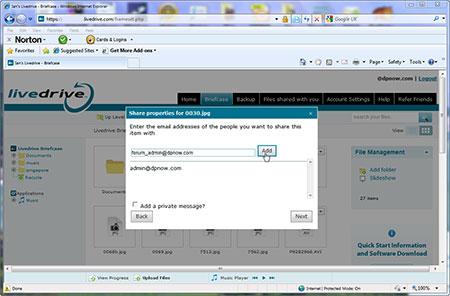
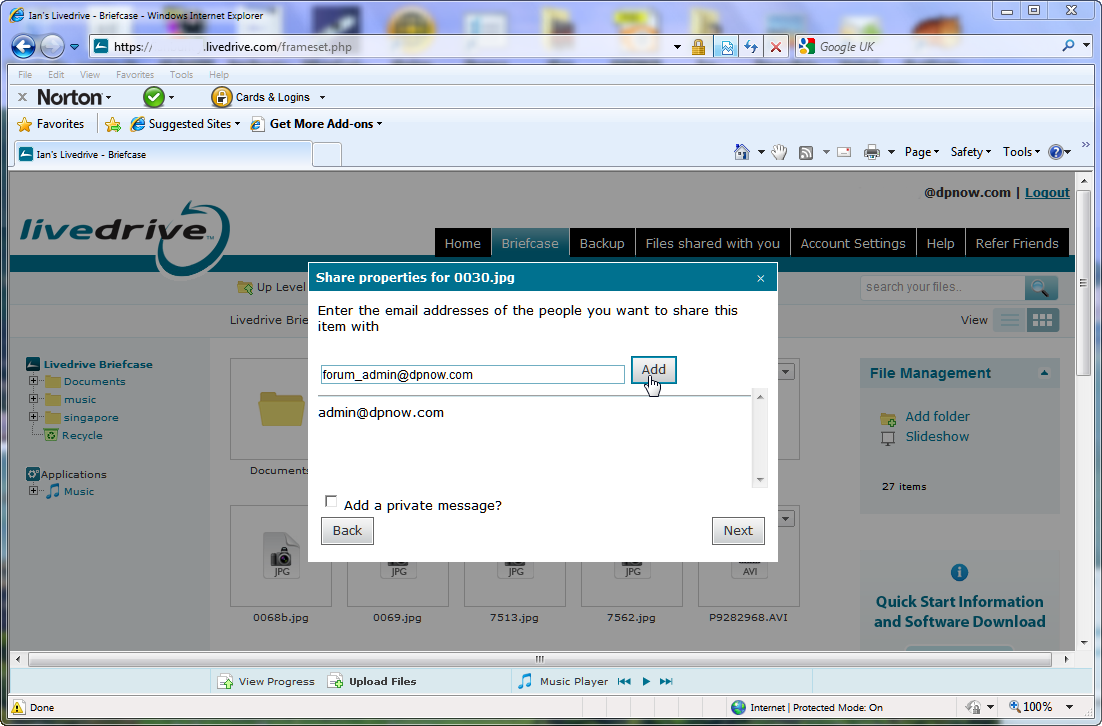
(Click image for a larger view in a new window) Private file sharing with notification via email is possible with Livedrive, and public sharing is also available.

(Click image for a larger view in a new window) Audio and video media files can be streamed from your Livedrive space.
Some services, like DropBox, offer a simple and easy way to share files with others. Other services, like Carbonite and, the service we're focusing on here: Livedrive, are more flexible and are designed to enable you to back up large quantities of files as well as share individual files or folders with others. I wouldn't recommend a cloud-based storage service as a replacement to a physical security back up regime, using - say - a portable external hard drive. Yes, cloud storage will secure your files, but getting them back onto a replacement PC would take a huge amount of time compared to a local drive backup.
So why use cloud-based storage as well as a portable hard drive back up? First of all, your online back up could complement your local backup and serve as a fail-safe. Portable drives get lost, and broken. But more importantly your files are accessible where ever there is internet access. Livedrive provides Web portals so you can browse your files using a Web browser on anyone's computer and even via portable devices like smartphones and pads. Livedrive also offers an optional feature, called a Livedrive Briefcase, that enables you to synchronise files across a number of computers. The simplest example would be a laptop and a desktop. The Briefcase folder would be stored in your Livedrive space in the cloud, but you could add files to it and modify those files from any computer set up to synchronise with the contents of the Briefcase. Each time a new file is added, or a file is deleted, or a file in the briefcase is modified, the action will be replicated across all computers that are synchronised with that briefcase. It means you can work on documents and other files, like images, on one computer and then resume later with another computer, say your laptop, from a different location.
Livedrive specifics
Livedrive comes in two flavours: Backup and Backup & Briefcase. Both options require you to download and install Livedrive software onto your PC (at the time of writing Mac software was almost due to come out of beta), although I there is ftp access available (if you opt for the Briefcase) as well. Livedrive's software works seamlessly in the background and is easy to use. Backup does just what it says; you select folders you wish to create online back ups of and copies are uploaded to your Livedrive storage space.
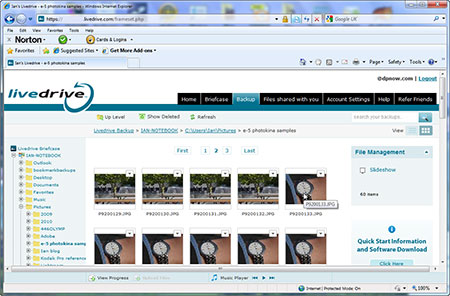
(Click image for a larger view in a new window) The Livedrive Web portal provides access to your files from any device that has a Web browser.
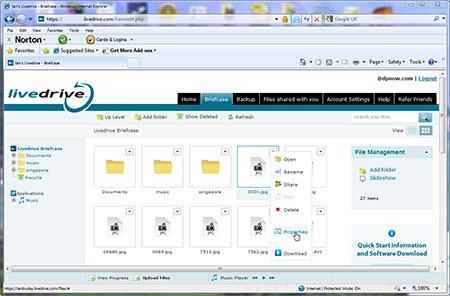
(Click image for a larger view in a new window) You can use the Livedrive Web portal to examine and even edit documents and other files, including images.
The software monitors your folders and updates new or changed files when required. Once your back ups have been created, you can browse the folders via the Web and download individual files, groups of files, or folders as required. If you have uploaded copies of video or audio files, like camera videos or songs, you can stream these from your Livedrive store. Using Livedrive's PC software, videos can't be streamed immediately; transcoding for playback can take several hours, however, MP3 songs can be played immediately. There are no big delays using Livedrive's client software for iPod Touch, iPhone, and iPad devices. Videos are accessible almost immediately. Android users will be pleased to hear that a client is under development for them and should be available for beta testing some time early in 2011.
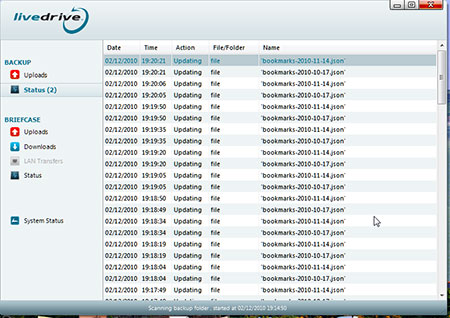
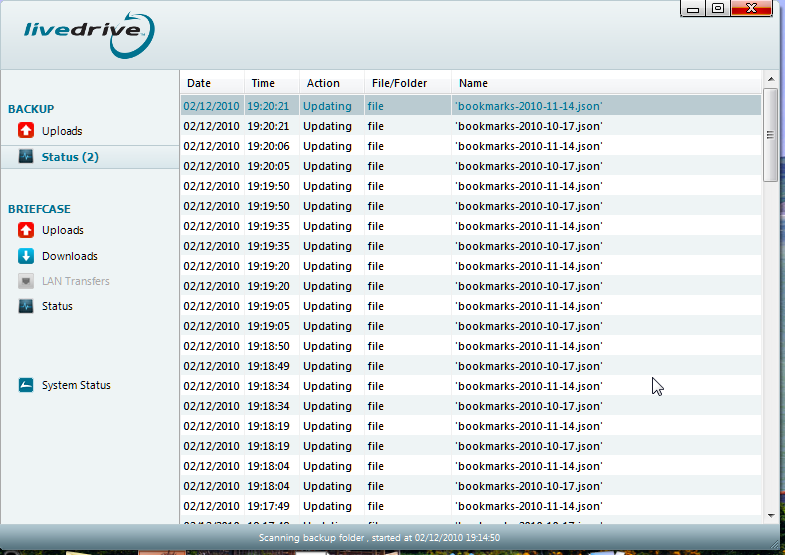
(Click image for a larger view in a new window) You are provided with information about files that are queued to be uploaded to your Livedrive space online.
Even if you are using a computer that doesn't have Livedrive's software installed, you can still access your back ups and preview documents and images via Livedrive's Web portal. If you go for the Briefcase version you can even edit selected document types, including images. Another neat feature is the ability to view a particular file's history since it was first backed-up, for up to 30 versions through time, which can be handy if you changed the document accidentally.
Briefcase
Back up on its own may be all you want, which is probably why it is offered as a basic service. But the fun and games are really to be found in the extra-cots option of the Livedrive Briefcase. Before we even get to the specific functionality of the Briefcase system, by opting for Briefcase you get several enhancements to the basic Backup service, including ftp access to your files, the ability to edit several file types with provided online web-based apps, private and public file sharing, and the ability to rag and drop pictures directly to and from Facebook, Flickr, SmugMug and more from Livedrive's web portal. For images you can make edits using a web application that Livedrive hosts called FotoFlexer, or a simpler app called Picnik.
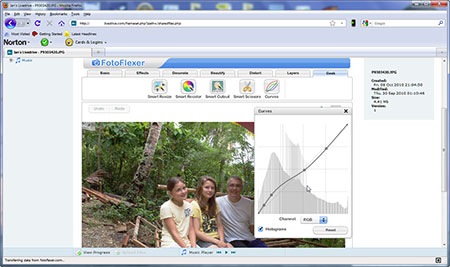
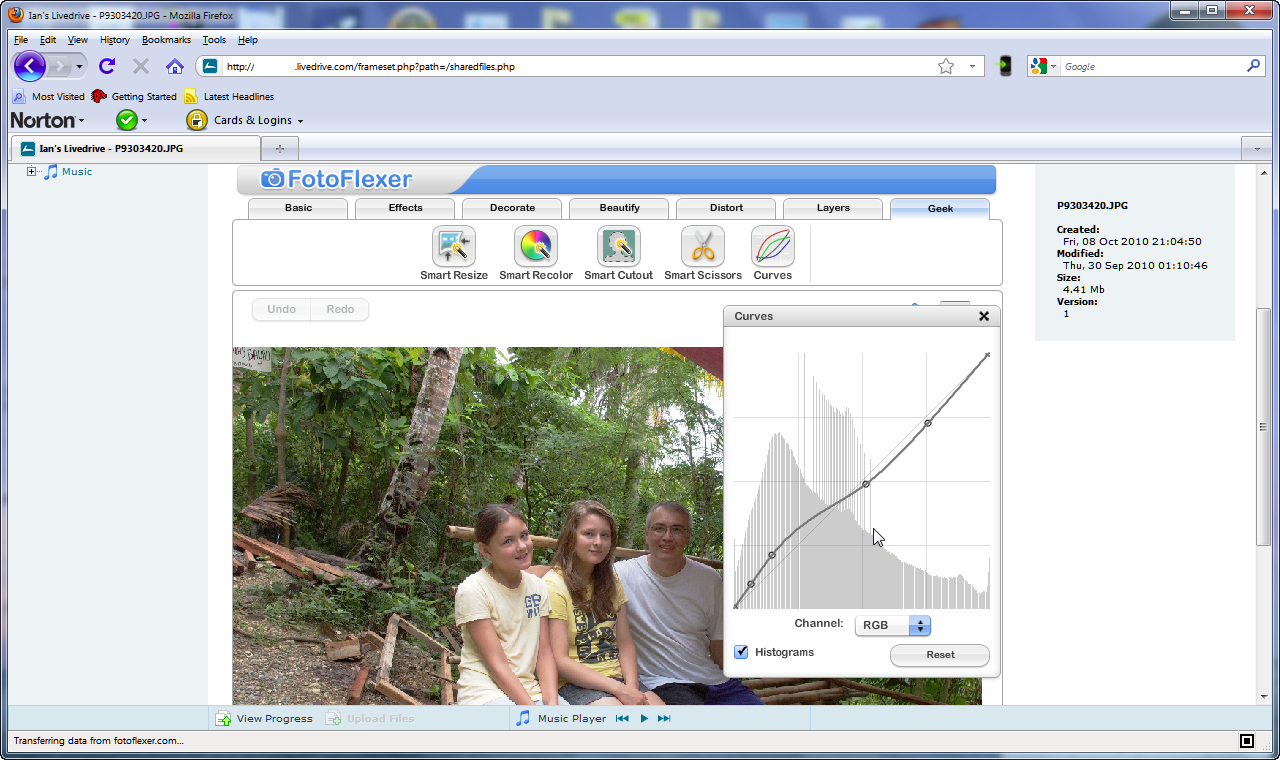
(Click image for a larger view in a new window) It's possible to edit images via the Livedrive Web portal using a choice of online apps. This is FotoFlexer which offers some advanced tools like a tone curve adjuster.
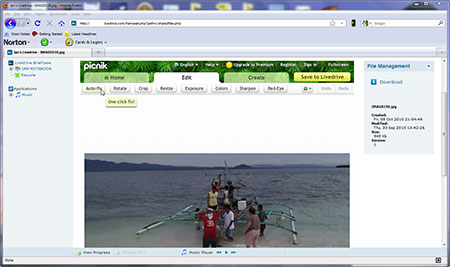
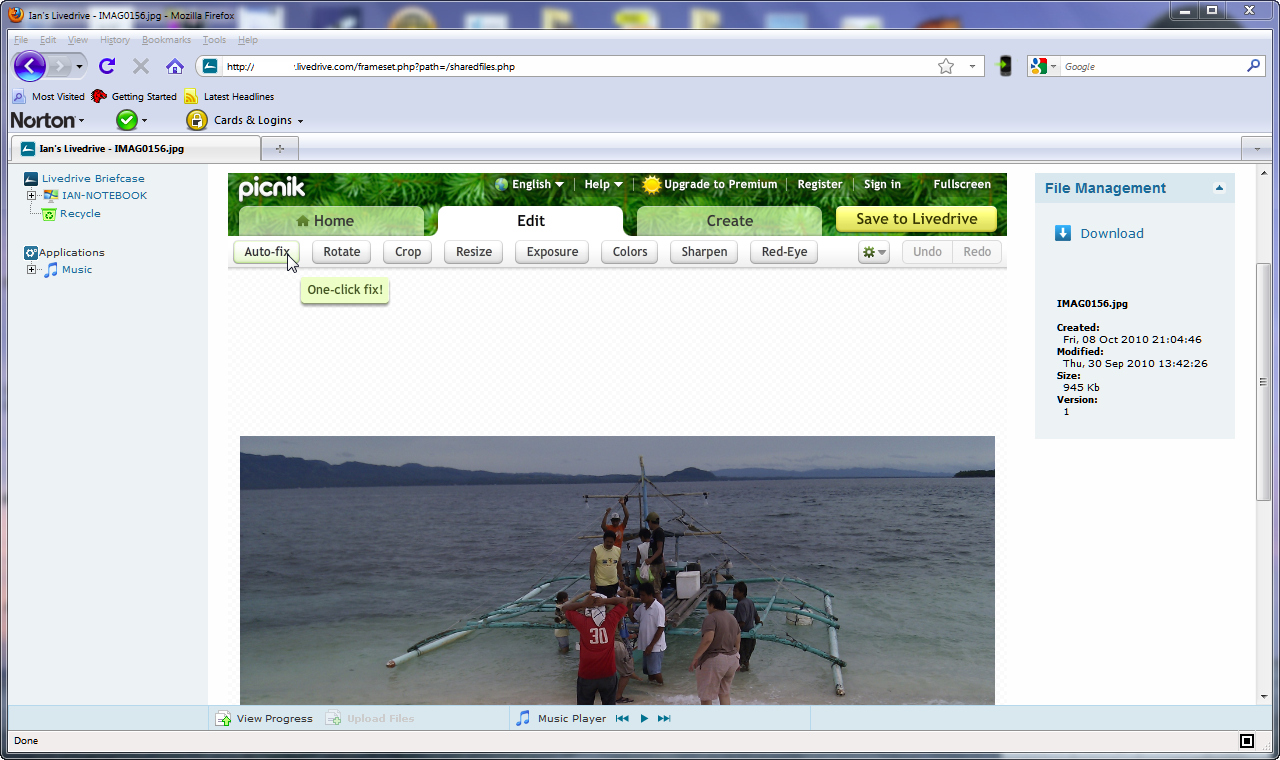
(Click image for a larger view in a new window) And here is another image editor, Picnik, which is a simpler alternative to FotoFlexer.
FotoFlexer has simple effects as well as more advanced tools, including a curves option for modifying the tone of your image. With file sharing, for private shares you enter the contact email address or addresses of the people you want to share the files with and emails are sent with details of how to download the shared files, including an access password, and you have the option of including a message explaining everything. Public shares works by informing people of a url to find the files you want to share and no login or password is required.
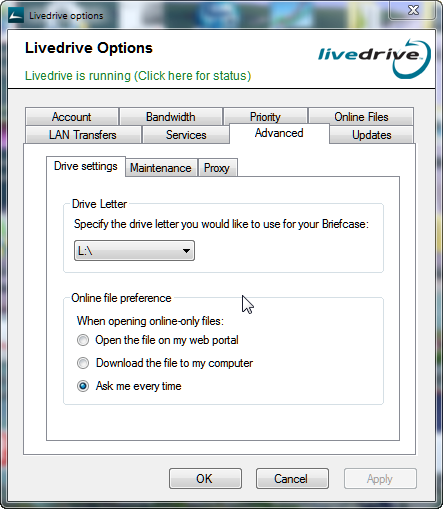
So what about the Briefcase itself? This is a virtual network drive of that can be replicated to an unlimited number of other computers. You can also access it via the Web. By default, the Briefcase becomes the L: drive on your computer. If that drive letter is already used, you can choose an un-used alternative. This was the case with my office desktop computer and I must admit there was no error and helpful prompt pointing out that L: was already used. Anything copied to the Briefcase is then copied to the virtual Briefcase in the cloud.
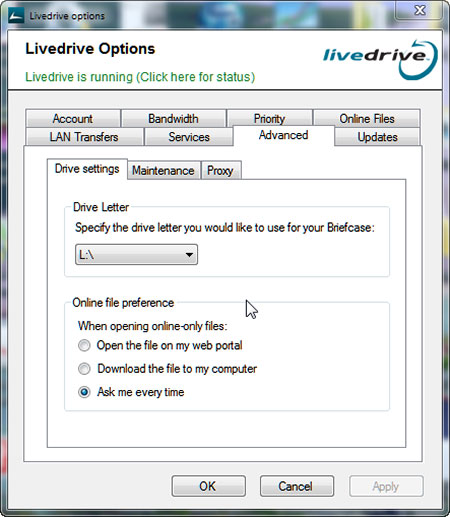
(Click image for a larger view in a new window) Here is the Livedrive control panel.
This happens in the background. If files already in the Briefcase are edited or changed in any other way, the changes will be replicated to the virtual Briefcase. Keeping the virtual briefcase and the local version the same is called synchronisation. Once you have created a Briefcase, all you need to do to access the files it contains, and add and delete files, using another computer is to install the Livedrive software onto that computer and any others you might need to. Each computer installed with the Livedrive software can have the same L: drive Briefcase.
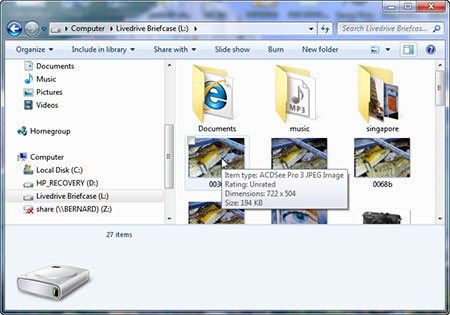
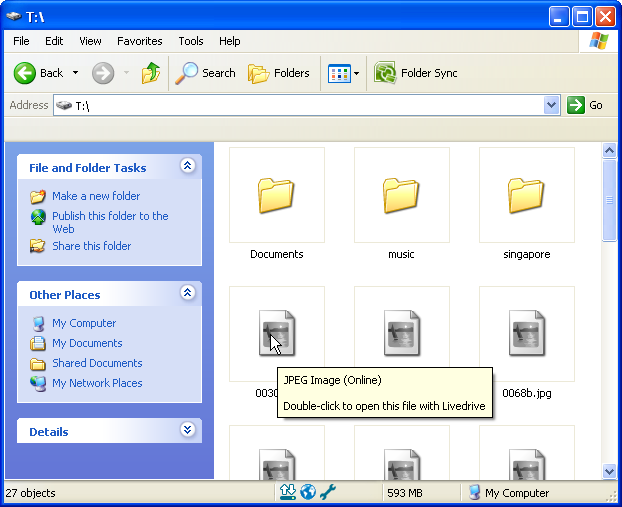
(Click image for a larger view in a new window) My laptop's Livedrive Briefcase in Windows 7
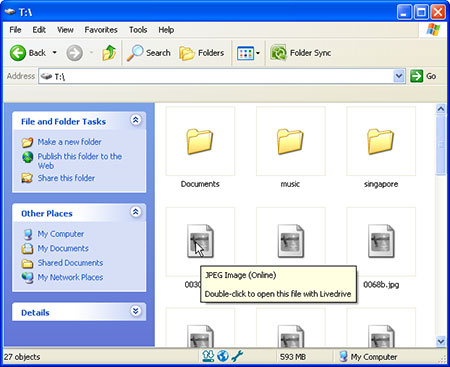
(Click image for a larger view in a new window) And here is my Briefcase displayed in Windows XP on my desktop PC at the office.
The Briefcase is regarded as a network drive. This can restrict its versatility, sometimes. As a photographer I immediately wondered if I could set up an Adobe Lightroom catalogue on the L: drive, so that I could share the catalogue between my desktop PC and my laptop. Unfortunately, Lightroom doesn't yet support network drives in this way, so an error was generated. But I understand you can do this with Apple Aperture. Incidentally, you can email files to your Livedrive Briefcase and of course once they are received, any computer sharing that Briefcase will magically contain those files.
Fundamentally, Livedrive wants its customers to adopt the Briefcase option and use it as a globally accessible storage resource that becomes routinely used every day.
Network limitations
When you think about it, attractions of Livedrive are, at least in theory, obvious. But there is a major caveat and it will impact more on some than others: internet access speed. I currently have most of the documents, including images, on my laptop backed up on my Livedrive account. They total just under 100GB and it took the best part of three weeks of background uploads for the back up to be completed. This is because I only have internet upload speeds of around 700K bits/second, which is typical of many domestic broadband users. There are some neat tricks that Livedrive has up its sleeve to speed things along; for example if there are files previously uploaded by someone else that are identical in name and content, the system doesn't upload it again.You may find that iTunes songs, for example, may take a lot less time to upload for this reason.
But at least once the back up is completed the demands on your connection are not so severe, as only altered or new files will be transmitted. You also need to be sure that you won't fall foul of any 'fair use policy' policy imposed on you by your internet service provider. Some, of course, have very fast internet connections, maybe at their place of work, or at conference centres and business hotels, etc. Then again, corporate networks may ban the use of services like Livedrive. But Livedrive tell me that they have customers who often copy terabytes of data (1,000 gigabytes) daily. Livedrive don't impose a fair use policy as the mix of customers and their overall average usage is reflected in their charges. Many of their competitors offer free introductory services, but Livedrive only offer a couple of week's free trial service. Because their service is basically only chargeable, they argue that paying customers don't have to subsidise those that don't. Nevertheless, Livedrive's charges do seem genuinely competitive with rivals that charge, and few rivals appear to offer a genuinely unlimited service as Livedrive does.
Conclusion
If you are prepared to pay for an online back up service, and especially if you use the full service including Briefcase, I'd say that Livedrive is very compelling. It's true that if your needs are limited, one of the free services out there could be all you need, but Livedrive is comprehensive, easy to use, and genuinely unlimited, and we believe it earns the accolade of 'Highly Recommended'.

Reader feedback:
Discuss this story: