 Tweet
Tweet
You may notice some differences to the DPNow gallery from today.
The main difference is that the icons that you used to access below the displayed photo for functions like Edit Photo, Add to Favourites, Report Photo, Show Exif data, etc., are now accessible from a drop down menu at the top right of the photo. See below:
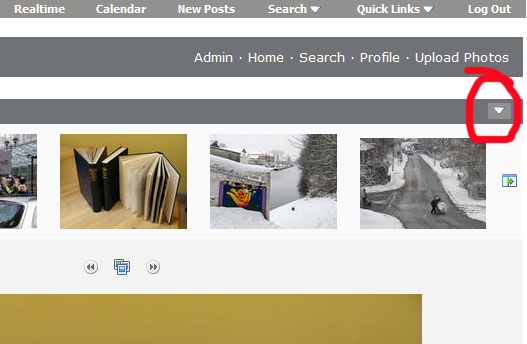
Look out for the down-pointing arrow-head at the top right of the photo.
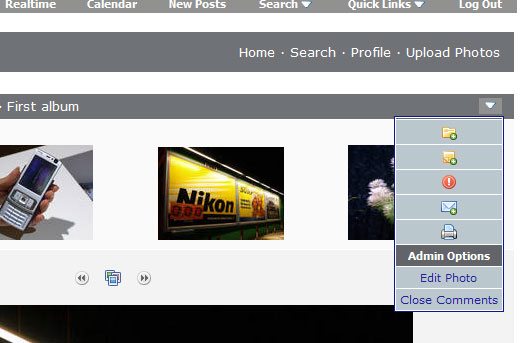
When viewing your own pictures, when you are logged in, the options that drop down look like this (above right).
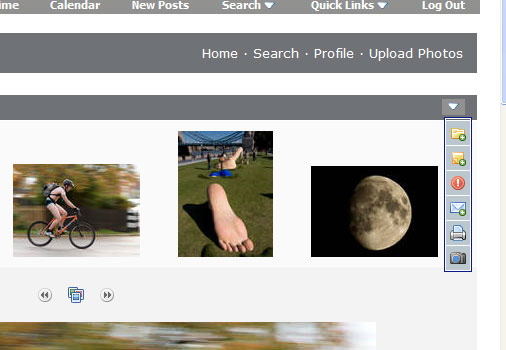
When viewing other photos, the drop down option icons look like this (top right).
We didn't ask for these changes, but there they are. Sorry if this proves to be an inconvenience at first.
Ian
The main difference is that the icons that you used to access below the displayed photo for functions like Edit Photo, Add to Favourites, Report Photo, Show Exif data, etc., are now accessible from a drop down menu at the top right of the photo. See below:
Look out for the down-pointing arrow-head at the top right of the photo.
When viewing your own pictures, when you are logged in, the options that drop down look like this (above right).
When viewing other photos, the drop down option icons look like this (top right).
We didn't ask for these changes, but there they are. Sorry if this proves to be an inconvenience at first.
Ian

Comment